

I used it well in Hong Kong~~ I had no major issues and the customer service responses were quick, so I was very satisfied~~~^^^
タイ eSIM Dtac 5G 容量プラン
Thailand Dtac 5g Fixed
$5.755.75 usd
タイ eSIM Dtac 5G 容量プラン — $5.75 (5.75 USD) — In stock
In stock
タイ eSIM Dtac 5G 容量プラン
Thailand Dtac 5g Fixed
$5.755.75 usd
タイ eSIM Dtac 5G 容量プラン — $5.75 (5.75 USD) — In stock
In stock
当社製品が使う現地回線
すべての渡航先の現地キャリア


データ量と日数を選択してください。価格はeSIM1枚あたりで、旅行者ごとに1枚必要です。
必要なデータ量と日数を選んで購入。eSIMのQRコードはデジタルで届きます。
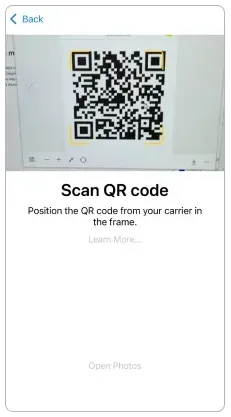
このプランはQRコードを読み取った時点で始まり、利用日数がすぐに起算されます。数日前ではなく、使う日にインストールしてください。
日数はQRインストール時にすでに始まっています。モバイルデータをeSIMに切り替え、データローミングをオンにするとつながります。ローミングをオンにしてもプランが再開されるわけではありません。
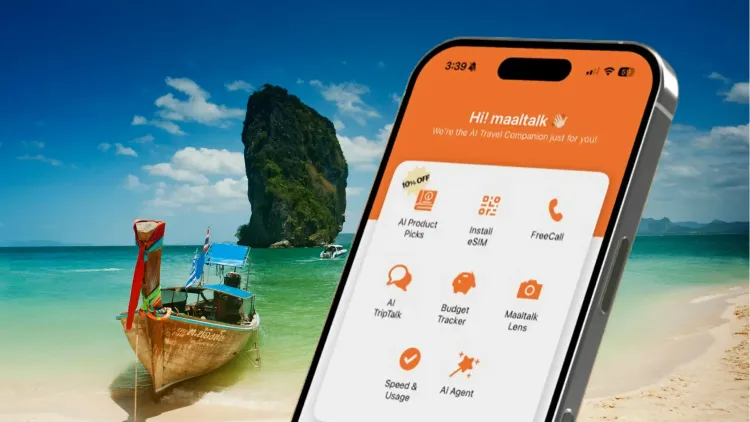
速度と使用量、AIプラン案内、家計簿、AIレンズ、チャット。
サポートは週7日です。セルフチェックのあと、無料のバックアップeSIMをお送りします。
ローミングeSIMではなく現地網なので、速度と安定性が上です。
小さなGB枠で止まらない高速プランです。
ダウンロード、ビデオ通話、ストリーミングを5Gで。
ノートPC、タブレット、同行者と接続を共有できます。
MaaltalkNowアプリからどこへでもかけられます。
ベストセラー
プリペイド旅行eSIMでタイでもつながる — 物理SIMもローミング料金も不要。
 dtac
Maaltalk タイ eSIMのプラン仕様にもとづく回答です。
プラン情報の最終更新
Maaltalk タイ eSIMはThailandでモバイルデータ通信を提供します。
提携ネットワーク:DTAC。
Maaltalk タイ eSIMは最大5Gの速度で接続します。
現地ネットワーク:DTAC。
テザリング(ホットスポット)に対応しています。
Maaltalk タイ eSIMは容量プランで、有効期間全体で1つのデータ容量を使います。
高速データ使い切り後:1Mbps 無制限。
Once the 35GB allowance is exhausted, unlimited data is provided at a speed of 1Mbps. Promotion (until December 31, 2026).
旅行ガイド

If you're planning a trip across Asia this year, finding the best eSIM for Asia should be at the top of your travel checklist. While Asia is one of the most digitally connected regions in the world, international roaming charges can still be shockingly expensive - sometimes exceeding $10 - 15 per da
Traveling to Thailand in 2026? Staying connected is more important than ever. From navigating Bangkok’s bustling streets with Google Maps, hailing rideshares like Grab, ordering local food delivery, or booking tours in Phuket and Chiang Mai, having reliable mobile data is essential. Without it, you
はい。通話:Receive only。SMS:Receive only。
QRコードをスキャンした時点で開通し、利用日数がすぐに始まります。使う日にインストールしてください。
開通時刻から24時間を1日として計算します。
1) このページでプランを選んで購入すると、eSIMのQRコードがメールで届きます。2) 使う日にWi-Fiでインストールします:iPhoneは設定 > モバイル通信 > eSIMを追加、Androidは設定 > 接続 > SIMマネージャー > eSIMを追加。このプランはQRをスキャンした瞬間に始まります。3) eSIM回線とデータローミングをオンにするとつながります。ローミングをオンにしてもプランは再開されません。
データがつながらない場合はAPNを手動で設定してください:
www.dtac.co.th。
2つのプランがあり、eSIM 1つあたり$5.75〜$6.42で、継続課金はありません。
SIMロック解除済みでeSIM対応の端末が必要です。電話アプリで*#06#を入力し、EID(32桁の番号)が表示されればeSIM対応です。このページの「eSIM対応端末を確認」で機種を検索することもできます。中国本土・香港・マカオで販売されたiPhoneはeSIMに対応していません。
再インストール:再インストールはできません。。
携帯電話にeSIMを登録していなければ返金できます。
はい。普段のSIMは端末に入れたまま番号も維持され、旅行用eSIMは2回線目として追加されます。
eSIMに割り当てられた番号の確認方法:press *102*9# and call.。
残りデータの確認方法:press *101*1# and call.。
WhatsAppに分単位の通話料はありません。必要なのはデータ通信だけで、このプランがそのデータです。
あわせて読む: eSIMと物理SIMEIDの確認SM-DPアドレスAPN設定
レビュー
Maaltalkのレビューをまとめて表示します。同じeSIMを販売している各販売チャネルの購入確認済みeSIMレビューと、App Store・Google PlayのMaaltalkNowアプリレビューです。日本語以外は機械翻訳、すべての評価を表示しています。
このサイトで購入しましたか?注文番号でレビューを書けます。
MaaltalkNowアプリ
10%割引が自動で適用されます。
I used the Maaltalk SIM again this time and it worked great! 👍👍
I had a great trip to Japan with Maaltalk eSIM.
I purchased the Maaltalk eSIM while preparing for my trip to Matsuyama, Japan! I chose the unlimited plan on the local SoftBank network in Japan, and I was really satisfied. Throughout my trip, the data connection was strong and uninterrupted, allowing me to search maps, find great restaurants, and send photos without any hassle. Having internet access is crucial when traveling abroad, and being able to use it without worrying about data allowed me to focus entirely on my trip without any distractions. It was also really convenient to use the eSIM without needing to swap out a physical SIM card. The price was reasonable, and my satisfaction with the service was high, so I definitely want to use Maaltalk for my next trip to Japan! I look forward to more great products and various benefits in the future.
It's worth the price. The data works better than other eSIMs.
I went to Osaka from November 12th to 15th. Since I had a great experience with Maaltalk SIM during my trip to Fukuoka last year, I bought it again for this trip without any hesitation. 3GB a day was enough for me, but I wondered if it was a bit too little for my middle schooler who was gaming throughout the trip. However, I thought it was better not to give more data. Since it was a free trip, I used maps to find transportation, looked for restaurants, made payments, and didn’t use Wi-Fi at the accommodation, but I was able to use it seamlessly from 6 AM to around midnight every day. Next year, I’m planning to go to China, and I’ll definitely be using Maaltalk again!
I'm generally satisfied with the speed and capacity.
I used it well in Fukuoka. The data worked great, and I had no problems at all~~
The data speed and capacity are great!
プランはいつ開始されますか?
QRコードをスキャンした時点で開通し、利用日数がすぐに始まります。使う日にインストールしてください。
開通時刻から24時間を1日として計算します。
注意
QRコードをスキャンした時点で開通し、利用日数がすぐに始まります。使う日にインストールしてください。
Promotions are applied based on the date of activation, not the date of purchase.
Data promotion: (15GB → 35GB)~9/30,(50GB → Unlimited)~9/30
Smart travel app available for free
Provide Phone number: Yes
返金
携帯電話にeSIMを登録していなければ返金できます。
開通・ご利用方法
www.dtac.co.th
通話・SMS・備考